✓ Royal Mail Authorised Inspector since 2008 | Trading since 2005


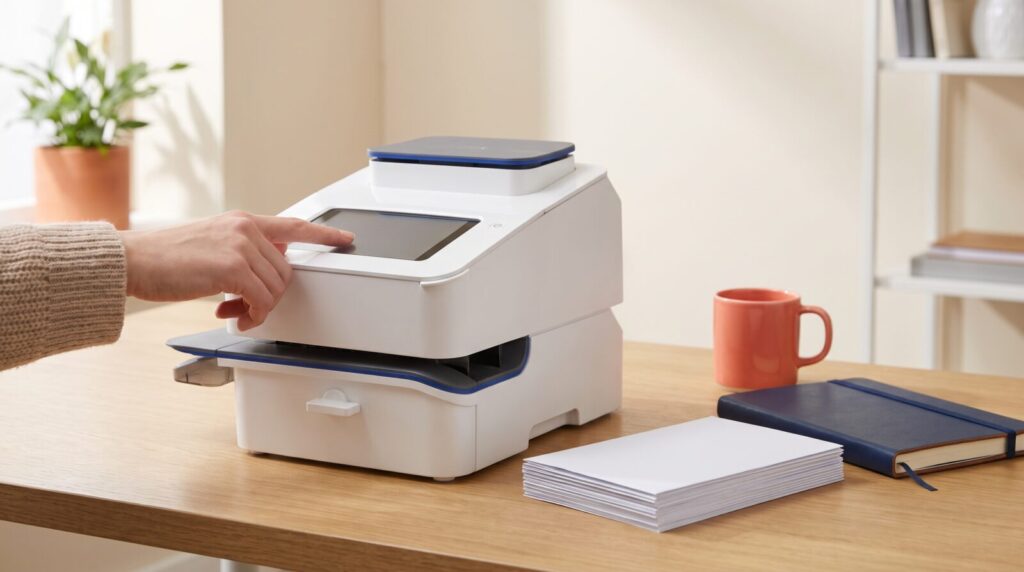
You add postage to a franking machine by topping up its postage balance, either from the machine’s own screen or through your online postage account. The money comes from the postage account you set up with your machine provider (usually Direct Debit, prepay or a credit account), and the machine connects to the provider’s data centre to download the credit in a minute or two. Once the balance shows on screen, you can frank letters and parcels straight away, with no stamps and no trip to the Post Office.
Key takeaways
- Postage credit is bought from your franking machine provider’s postage account, not from a shop or the Post Office.
- Most machines top up in a few taps: open the postage balance, choose Add or Refill Postage, enter an amount and confirm.
- Your machine needs a working connection to the data centre while it refills, so check the network cable or Wi-Fi first.
- Some models have rules, for example the Pitney Bowes DM110i, DM160i and DM220i only refill in multiples of £50.
- One balance covers letters, large letters and parcels, which is far easier to manage and track than buying and storing stamps.
Where does franking machine postage come from?
A franking machine does not hold money of its own until you put it there. When you first start franking, you set up a postage account with your machine provider and agree how you will pay for postage. That is usually by Direct Debit, by card, or through a credit account with deferred payment terms.
When you top up, the funds move from that postage account into the machine’s secure meter. Every time you frank an item, the value is deducted from the balance and the postage is accounted for to Royal Mail. Because you only spend what you load, you always know exactly how much postage the business has available.
Payment options vary by manufacturer. Pitney Bowes, for example, now offers Pay As You Go and PrePay, which we explain in our guide to the Pitney Bowes postage account changes.
How to add postage to a franking machine: step by step
Menus differ slightly between makes, but the process on almost every modern machine follows the same pattern. Here is how it works on the Mailcoms Mailsend Prime, which is typical of current touchscreen models:
- Open the postage screen. From the home screen, tap the envelope printing icon.
- Check your balance. Tap the postage balance at the top of the screen to see what you have available.
- Choose Refill Postage. The machine connects and confirms your current balance.
- Enter the amount. Type in how much postage you want to add for franking.
- Confirm the refill. Tap Refill mail postage. The screen shows that it is refilling while it talks to the data centre.
- Print or skip the receipt. Once complete, you can view and print a refill receipt for your records, or tap Done.
On older button-led machines the wording changes, but the idea is identical. On the Pitney Bowes DM110i, DM160i and DM220i you press Add Postage, pick your default refill amount or Add Another Amount, then Continue. Those models only refill in multiples of £50, and any other figure triggers an Error 104. Our DM110i, DM160i and DM220i postage support page walks through it.
Some providers also let you add postage online. Pitney Bowes customers, for instance, can sign in to their online account, choose the meter and select Add Postage, with the machine connected to the data centre so the credit can download.
Topping up a franking machine vs buying stamps
Adding postage to a franking machine takes a minute at your desk. Keeping a business supplied with stamps is a very different job, as this comparison shows.
| Task | Franking machine | Stamps |
|---|---|---|
| How you buy postage | Top up on screen or online in a few taps | Buy books or sheets from a Post Office or shop |
| Price per item | Franking prices, which Royal Mail describes as cheaper than stamps | Full stamp price |
| Exact postage | Built-in scales print the exact amount needed | Easy to over-stamp to be safe, or under-stamp by mistake |
| Letters and parcels | One balance covers letters, large letters and parcel labels | Mixing stamp values to reach the right total |
| Tracking spend | Refill receipts and balance on screen, with departmental accounts on many models | Loose stamps in a drawer, hard to account for |
| Security | Credit sits in a secure meter, not in a drawer | Stamps can go missing or be used for personal post |
| Your branding | Optional logo or message printed with every frank | None |
If you want to dig into running costs, our Royal Mail franking postage rates guide sets out the current franking tariff, and you can see how franking compares with online postage in franking machine vs Click & Drop.
How much postage should you add at a time?
There is no single right figure, but a little planning keeps the post flowing:
- Look at a normal week. Add enough to cover your usual volume plus a margin, so you are not refilling mid mail-run.
- Use a default refill amount. Many machines let you save a standard top-up, so routine refills are a single tap.
- Set a low-funds warning. Many current machines can alert you when the balance drops below a level you choose.
- Plan for busy periods. Top up ahead of mailshots, invoice runs and the run-up to the Christmas last posting dates.
- Split spend by team. If several departments share one machine, departmental accounts show exactly who used what.
Why won’t my franking machine add postage?
A failed refill is usually quick to fix. Work through these checks:
- Connection: the machine must reach the data centre. Check the network cable, Wi-Fi or connection device, and restart the machine if needed.
- Funds or payment: if you are on prepay, make sure your postage account has enough available. If a Direct Debit has failed, your provider may pause refills until it is sorted.
- Amount rules: some machines only accept certain amounts, such as multiples of £50 on the DM110i range.
- On-screen messages: if the machine is showing a prompt, such as a software update, follow it through before trying the refill again.
If your machine is completely out of action on a busy day, our guide on what to do if your franking machine goes down will help you keep mail moving.
Keep your machine ready to frank
Postage is only half the picture. A machine with plenty of credit but a dry cartridge or no labels still cannot send anything. Keep a spare cartridge and a box of labels on the shelf, and you will never be caught out. You can find ink and labels for Mailcoms machines in our Mailcoms franking ink and labels range. Mailcoms is one of only two companies in the UK to have our own brand of franking ink approved by Royal Mail.
Need help?
If you are stuck topping up, or you are thinking about switching from stamps to franking, our team of Royal Mail Authorised Inspectors is happy to help. Call Mailcoms on 01543 572 776 or explore our franking machines to find the right model for your business.
Frequently asked questions
How do I top up my franking machine?
Open the postage or balance screen, choose Add Postage or Refill Postage, enter the amount and confirm. The machine connects to your provider's data centre and adds the credit, usually within a minute or two.
Can I add postage to a franking machine online?
With some providers, yes. Pitney Bowes customers, for example, can add postage to their meter through their online account, as long as the machine is connected so the credit can download.
Can I buy franking postage at the Post Office?
No. Franking postage is bought through the postage account linked to your machine and added directly to the machine, so there is no need to visit a Post Office.
Why does my franking machine say it cannot connect when I add postage?
The machine needs a working link to the data centre to refill. Check the network cable, Wi-Fi or connection device, restart the machine and try again, then call your supplier if it still fails.
Is it cheaper to frank mail than to use stamps?
Yes. Royal Mail describes franking as cheaper than stamps, and a franking machine's built-in scales help you pay the exact postage for every item rather than over-stamping to be safe.